# Bootstrap video carousel with lightbox

> Bootstrap video carousel demo, slide through YouTube, Vimeo and HTML5 videos and open any of them in a full-screen lightbox player.

Bootstrap is the most popular CSS Framework for developing responsive and mobile-first websites. Here is the demo adding lightbox gallery support for the Bootstrap video carousel.

Canonical page: https://www.lightgalleryjs.com/demos/bootstrap-video-carousel/

#### Demo

  
    <button type="button" data-bs-target="#bootstrap-video-carousel" data-bs-slide-to="0" class="active" aria-current="true" aria-label="Slide 1"></button>
    <button type="button" data-bs-target="#bootstrap-video-carousel" data-bs-slide-to="1" aria-label="Slide 2"></button>
    <button type="button" data-bs-target="#bootstrap-video-carousel" data-bs-slide-to="2" aria-label="Slide 3"></button>


         <a
        data-lg-size="1280-720"
        class="lg-item"
        data-src="//vimeo.com/112836958"
        data-poster="/images/demo/vimeo-video-poster.jpg"
        data-sub-html="<h4>Nature</h4><p>Video by <a target='_blank' href='https://vimeo.com/charliekaye'>Charlie Kaye</a></p>"
    >
       <img
            width="300"
            height="100"
            class="img-responsive"
            src="/images/demo/vimeo-video-poster.jpg"
        />
    </a>
    
    
        <a
        class="lg-item"
       data-lg-size="1280-720"
        data-src="//www.youtube.com/watch?v=EIUJfXk3_3w"
        data-poster="https://img.youtube.com/vi/EIUJfXk3_3w/maxresdefault.jpg"
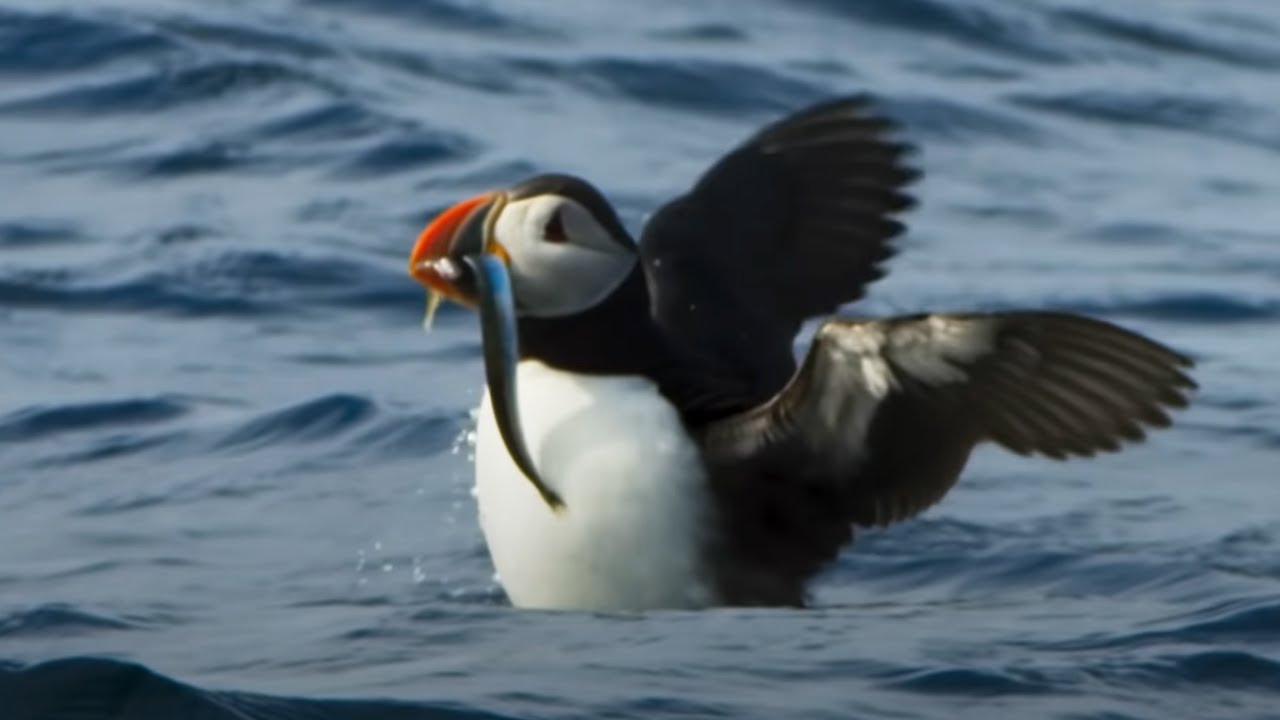
        data-sub-html="<h4>Puffin Hunts Fish To Feed Puffling | Blue Planet II | BBC Earth</h4><p>On the heels of Planet Earth II's record-breaking Emmy nominations, BBC America presents stunning visual soundscapes from the series' amazing habitats.</p>"
    >
        <img
            width="300"
            height="100"
            class="img-responsive"
            src="https://img.youtube.com/vi/EIUJfXk3_3w/maxresdefault.jpg"
        />
    </a>
    
    
        <a
          class="lg-item"
        data-lg-size="1280-720"
        data-src="https://private-sharing.wistia.com/medias/mwhrulrucj"
        data-poster="/images/demo/wistia-video-poster.jpeg"
        data-sub-html="<h4>Thank You!</h4><p> Sample Wistia video </p>"
    >
        <img
            width="300"
            height="100"
            class="img-responsive"
            src="/images/demo/wistia-video-poster.jpeg"
        />
     </a>
    
  
  <button class="carousel-control-prev" type="button" data-bs-target="#bootstrap-video-carousel" data-bs-slide="prev">
    <span class="carousel-control-prev-icon" aria-hidden="true"></span>
    <span class="visually-hidden">Previous</span>
  </button>
  <button class="carousel-control-next" type="button" data-bs-target="#bootstrap-video-carousel" data-bs-slide="next">
    <span class="carousel-control-next-icon" aria-hidden="true"></span>
    <span class="visually-hidden">Next</span>
  </button>

**JavaScript**

**HTML**

```html
<div
    id="bootstrap-video-carousel"
    class="carousel slide"
    data-bs-ride="carousel"
>
    <div class="carousel-indicators">
        <button
            type="button"
            data-bs-target="#bootstrap-video-carousel"
            data-bs-slide-to="0"
            class="active"
            aria-current="true"
            aria-label="Slide 1"
        ></button>
        <button
            type="button"
            data-bs-target="#bootstrap-video-carousel"
            data-bs-slide-to="1"
            aria-label="Slide 2"
        ></button>
    </div>
    <div class="carousel-inner">
        <div class="carousel-item active">
            <a
                data-lg-size="1280-720"
                class="lg-item"
                data-src="//vimeo.com/112836958"
                data-poster="..."
                data-sub-html="..."
            >
                <img
                    width="300"
                    height="100"
                    class="img-responsive"
                    src="/images/demo/vimeo-video-poster.jpg"
                />
            </a>
        </div>
        <div class="carousel-item">
            <a
                class="lg-item"
                data-lg-size="1280-720"
                data-src="https://private-sharing.wistia.com/medias/mwhrulrucj"
                data-poster="..."
                data-sub-html="..."
            >
                <img
                    width="300"
                    height="100"
                    class="img-responsive"
                    src="/images/demo/wistia-video-poster.jpeg"
                />
            </a>
        </div>
    </div>
    <button
        class="carousel-control-prev"
        type="button"
        data-bs-target="#bootstrap-video-carousel"
        data-bs-slide="prev"
    >
        <span class="carousel-control-prev-icon" aria-hidden="true"></span>
        <span class="visually-hidden">Previous</span>
    </button>
    <button
        class="carousel-control-next"
        type="button"
        data-bs-target="#bootstrap-video-carousel"
        data-bs-slide="next"
    >
        <span class="carousel-control-next-icon" aria-hidden="true"></span>
        <span class="visually-hidden">Next</span>
    </button>
</div>
```

**JavaScript**

```js
const carouselEl = document.getElementById('bootstrap-video-carousel');

// The Bootstrap 5 carousel
new bootstrap.Carousel(carouselEl, {
    interval: 2000,
    wrap: false,
});

// One gallery over the carousel items, created once
lightGallery(carouselEl.querySelector('.carousel-inner'), {
    plugins: [lgVideo],
    selector: '.lg-item',
});
```

**React**

```tsx
import { useEffect, useRef } from 'react';
import Carousel from 'bootstrap/js/dist/carousel';
import {
    LightGallery,
    LightGalleryItem,
    type GalleryItem,
} from '@lightgallery/react';
import Video from '@lightgallery/react/plugins/video';

// `src` is the address of the video page. `poster` is the image shown
// before the video plays, and the image on the carousel slide.
const items: GalleryItem[] = [
    {
        src: 'https://vimeo.com/112836958',
        poster: '/images/demo/vimeo-video-poster.jpg',
        alt: 'Nature',
        lgSize: '1280-720',
    },
    {
        src: 'https://private-sharing.wistia.com/medias/mwhrulrucj',
        poster: '/images/demo/wistia-video-poster.jpeg',
        alt: 'Thank You!',
        lgSize: '1280-720',
    },
];

const carouselRef = useRef<HTMLDivElement>(null);

// The Bootstrap 5 carousel
useEffect(() => {
    const carousel = new Carousel(carouselRef.current!, {
        interval: 2000,
        wrap: false,
        // Start cycling right away, as data-bs-ride="carousel" does
        ride: 'carousel',
    });
    return () => {
        // dispose() leaves the cycle timer running, so stop it first
        carousel.pause();
        carousel.dispose();
    };
}, []);

// One gallery over the carousel, every slide holds a video item
<LightGallery plugins={[Video]}>
    <div
        id="bootstrap-video-carousel"
        className="carousel slide"
        ref={carouselRef}
    >
        <div className="carousel-inner">
            {items.map((item, index) => (
                <div
                    key={item.poster}
                    className={
                        index === 0 ? 'carousel-item active' : 'carousel-item'
                    }
                >
                    <LightGalleryItem item={item}>
                        <img
                            src={item.poster}
                            className="d-block w-100"
                            alt={item.alt}
                        />
                    </LightGalleryItem>
                </div>
            ))}
        </div>
        {/* The indicators and the previous and next buttons, as in the
            Bootstrap markup */}
    </div>
</LightGallery>;
```

**Vue**

```vue
<script setup lang="ts">
import { onBeforeUnmount, onMounted, ref } from 'vue';
import Carousel from 'bootstrap/js/dist/carousel';
import { LightGallery, LgItem, type LgGalleryItem } from '@lightgallery/vue';
import Video from '@lightgallery/vue/plugins/video';

const plugins = [Video];

// `src` is the address of the video page. `poster` is the image shown
// before the video plays, and the image on the carousel slide.
const items: LgGalleryItem[] = [
    {
        src: 'https://vimeo.com/112836958',
        poster: '/images/demo/vimeo-video-poster.jpg',
        alt: 'Nature',
        lgSize: '1280-720',
    },
    {
        src: 'https://private-sharing.wistia.com/medias/mwhrulrucj',
        poster: '/images/demo/wistia-video-poster.jpeg',
        alt: 'Thank You!',
        lgSize: '1280-720',
    },
];

const carouselEl = ref<HTMLElement | null>(null);
let carousel: Carousel | undefined;

// The Bootstrap 5 carousel
onMounted(() => {
    carousel = new Carousel(carouselEl.value!, {
        interval: 2000,
        wrap: false,
        // Start cycling right away, as data-bs-ride="carousel" does
        ride: 'carousel',
    });
});
onBeforeUnmount(() => {
    // dispose() leaves the cycle timer running, so stop it first
    carousel?.pause();
    carousel?.dispose();
});
</script>

<template>
    <!-- One gallery over the carousel, every slide holds a video item -->
    <LightGallery :plugins="plugins">
        <div
            id="bootstrap-video-carousel"
            ref="carouselEl"
            class="carousel slide"
        >
            <div class="carousel-inner">
                <div
                    v-for="(item, index) of items"
                    :key="item.poster"
                    class="carousel-item"
                    :class="{ active: index === 0 }"
                >
                    <LgItem :item="item">
                        <img :src="item.poster" class="d-block w-100" :alt="item.alt" />
                    </LgItem>
                </div>
            </div>
            <!-- The indicators and the previous and next buttons, as in
                 the Bootstrap markup -->
        </div>
    </LightGallery>
</template>
```

**Angular**

```ts
import {
    afterNextRender,
    Component,
    DestroyRef,
    ElementRef,
    inject,
    viewChild,
} from '@angular/core';
import {
    LgGalleryComponent,
    LgGalleryItemDirective,
    type LgGalleryItem,
} from '@lightgallery/angular';
import { withVideo } from '@lightgallery/angular/plugins/video';
import Carousel from 'bootstrap/js/dist/carousel';

@Component({
    selector: 'app-gallery',
    imports: [LgGalleryComponent, LgGalleryItemDirective],
    template: `
        <!-- One gallery over the carousel, every slide holds a video item -->
        <lg-gallery [features]="features">
            <div #carousel id="bootstrap-video-carousel" class="carousel slide">
                <div class="carousel-inner">
                    @for (item of items; track item.poster) {
                        <div class="carousel-item" [class.active]="$first">
                            <a [lgGalleryItem]="item">
                                <img
                                    [src]="item.poster"
                                    class="d-block w-100"
                                    [alt]="item.alt"
                                />
                            </a>
                        </div>
                    }
                </div>
                <!-- The indicators and the previous and next buttons, as in
                     the Bootstrap markup -->
            </div>
        </lg-gallery>
    `,
})
export class Gallery {
    features = [withVideo()];

    // `src` is the address of the video page. `poster` is the image shown
    // before the video plays, and the image on the carousel slide.
    items: LgGalleryItem[] = [
        {
            src: 'https://vimeo.com/112836958',
            poster: '/images/demo/vimeo-video-poster.jpg',
            alt: 'Nature',
            lgSize: '1280-720',
        },
        {
            src: 'https://private-sharing.wistia.com/medias/mwhrulrucj',
            poster: '/images/demo/wistia-video-poster.jpeg',
            alt: 'Thank You!',
            lgSize: '1280-720',
        },
    ];

    carouselEl = viewChild.required<ElementRef<HTMLElement>>('carousel');

    constructor() {
        let carousel: Carousel | undefined;

        // The Bootstrap 5 carousel
        afterNextRender(() => {
            carousel = new Carousel(this.carouselEl().nativeElement, {
                interval: 2000,
                wrap: false,
                // Start cycling right away, as data-bs-ride="carousel" does
                ride: 'carousel',
            });
        });
        inject(DestroyRef).onDestroy(() => {
            // dispose() leaves the cycle timer running, so stop it first
            carousel?.pause();
            carousel?.dispose();
        });
    }
}
```